






In today’s digital workflow, everything runs in the browser — email, project management, messaging, AI tools, design platforms, CRMs, and dashboards. But as productivity increases, so does tab overload. Windows pile up, accounts overlap, notifications clash, and focus disappears.
That’s where WebCatalog changes the experience.
WebCatalog is a cross-platform desktop solution that turns websites into dedicated desktop apps — giving your favorite web tools their own isolated, organized, and fully controllable environment. Instead of living inside crowded browser tabs, your apps run like native software with better structure, privacy, and workflow separation.
Why Browser-Based Workflows Break Down
Modern professionals need:
- Clean separation between work and personal accounts
- Multi-account access without constant logins
- Organized tool grouping by project or team
- Reduced tab clutter
- Controlled notifications
- Privacy and session isolation
Traditional browsers often lead to:
- Dozens of open tabs competing for attention
- Logging in and out repeatedly
- Shared cookies causing session conflicts
- Distractions from unrelated websites
- Limited workflow organization
WebCatalog eliminates this chaos by giving each web app its own dedicated desktop container.
A Platform Built for Structured Web Productivity
Standalone Desktop Apps
- Turn any website into a desktop app
- Each app runs in its own isolated session
- Separate windows with native OS behavior
- Launch apps directly from your desktop
Your tools feel like real software — not just browser tabs.
Profiles for Multi-Account Control
- Stay logged into multiple accounts simultaneously
- Separate work and personal logins
- Avoid cookie and session conflicts
- Switch profiles instantly
Perfect for managing multiple Slack, Gmail, or client dashboards without friction.
Spaces for Workflow Organization
- Group apps by project, department, or life area
- Create dedicated spaces like “Work,” “Clients,” “AI Tools,” or “Personal”
- Reduce distraction and improve context switching
- Keep related tools together
Spaces help you work in focused environments instead of scattered browser chaos.
Privacy & Session Isolation
- Isolated environments for each app
- Reduced cross-site tracking
- Optional ad and tracker blocking (Pro plan)
- App locking for additional security
Each app operates independently, enhancing both privacy and performance.
Cloud Sync & Backup
- Sync apps, profiles, and spaces across devices
- Automatic cloud backup of configuration
- Maintain consistent setup on Windows, macOS, and Linux
Your workspace travels with you.
How WebCatalog Works: From Website to Desktop App
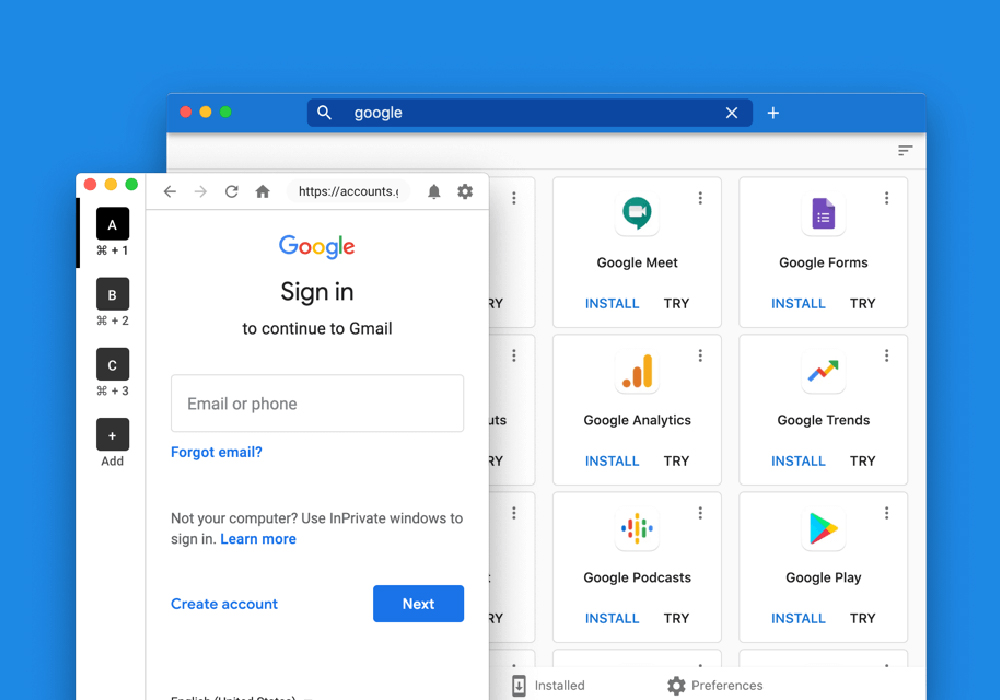
- Download WebCatalog Desktop – Available for Windows, macOS, and Linux.
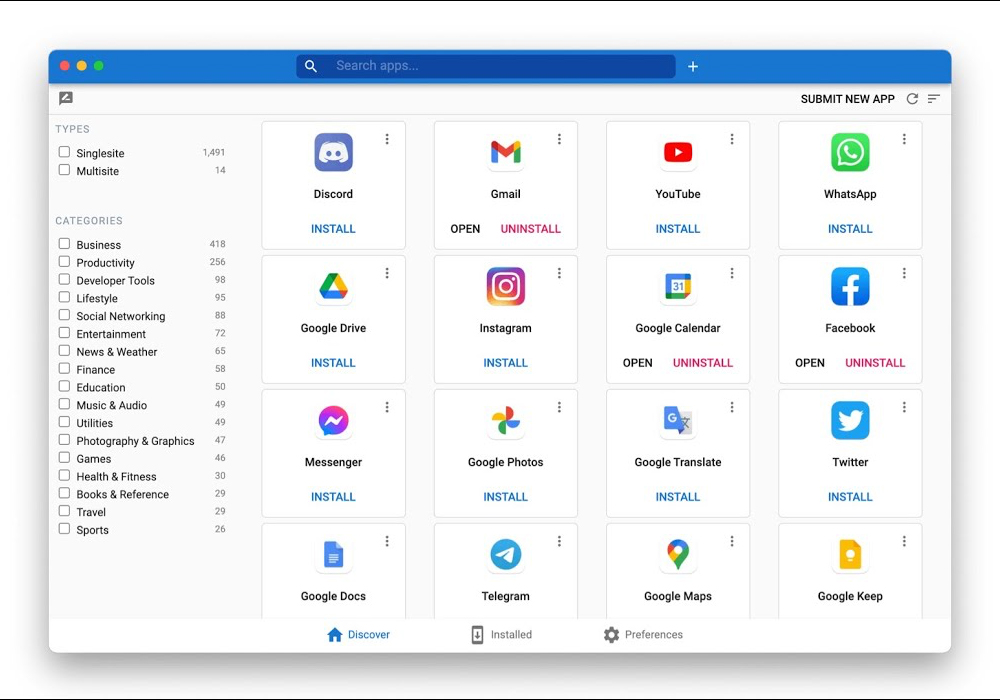
- Add an App – Choose from the built-in catalog or create a custom app from any URL.
- Organize With Profiles & Spaces – Structure accounts and workflows logically.
- Control Notifications & Access – Customize app behavior and security.
- Work Without Browser Clutter – Focus on tasks, not tabs.
What used to require juggling multiple browser windows now lives in a clean, structured desktop ecosystem.
Built for Modern Digital Professionals
WebCatalog empowers:
- Remote Workers – Separate client and company accounts
- Freelancers – Manage multiple projects without overlap
- Developers – Isolate staging and production environments
- Marketing Teams – Keep campaign tools grouped together
- Students – Organize research, communication, and coursework
- Businesses – Implement structured web workflows at scale
Whether you’re an individual or an organization, WebCatalog improves clarity and control.
Flexible Plans for Every Workflow
Basic (Free)
- Limited apps, profiles, and spaces
- Core desktop functionality
Pro (Individual)
- Unlimited apps and spaces
- App lock
- Ad & tracker blocking
- Cloud sync and backup
Business
- Team management features
- Shared spaces
- Centralized billing
Enterprise
- SSO support
- Advanced security controls
- SCIM provisioning
- Custom integration options
Plans scale based on user needs, collaboration level, and security requirements.
What Makes WebCatalog Stand Out
- Turns websites into native-like desktop apps
- True multi-account support without browser juggling
- Workflow organization through Spaces
- Session isolation for privacy and performance
- Cross-platform support (Windows, macOS, Linux)
- Sync across devices
- Clean separation between focus areas
Conclusion: Bring Structure to the Web
WebCatalog transforms how you interact with web apps. Instead of drowning in tabs and session conflicts, you gain structured, dedicated workspaces where every tool has its place.
With WebCatalog, the web doesn’t feel chaotic — it feels organized, controlled, and built for productivity.
Visit Site