



In today’s digital world, visuals matter more than ever. Whether you’re designing logos, infographics, icons, t‑shirts, stickers, or illustrations, you often need clean, sharp, and scalable graphics. Traditionally, converting pixel‑based images into vector graphics required expensive software, technical knowledge, and time. For beginners or creators without design tools, this was a major hurdle.
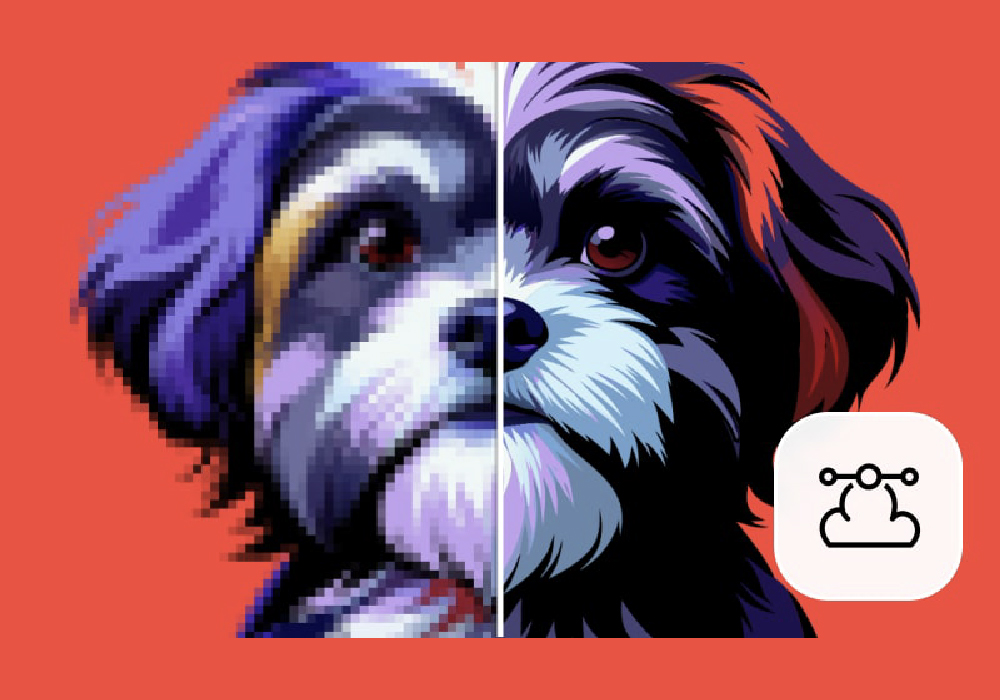
Vectorizer.ai changes that. It’s an AI‑powered vector conversion platform that instantly transforms raster images (like JPEGs, PNGs, and photos) into crisp, scalable vector art. No tracing with the pen tool. No complex software. Just upload, convert, and download – it’s that simple.
Whether you’re a logo designer, e‑commerce seller, content creator, or hobbyist, Vectorizer.ai makes vector generation fast, accurate, and accessible. This overview breaks down why vector graphics matter today, how the platform works, and the key tools that make it practical for creators of all levels.
Main Features of Vectorizer.ai
- Automatic Image to Vector Conversion
Upload any raster image, and advanced AI instantly converts it into a vector format with clean lines and smooth shapes. - Multiple Vector Output Formats
Export your results in popular vector formats that work for print, web, and design software. - AI‑Driven Optimization
The platform intelligently detects edges, colors, and shapes for better precision and fewer distortions. - Real‑Time Preview & Editing Options
View your vector before downloading and apply simple tweaks like color adjustments or smoothing.
These features make Vectorizer.ai more than just a converter – it’s a tool that gives creators control, consistency, and professional‑looking vector art without the traditional hurdles.
Why Vector Graphics Matter
Vector graphics are a foundational part of design because they are scalable. Unlike pixel images, vectors can be enlarged or reduced without losing quality. This makes them perfect for everything from logos and icons to large format prints like banners and billboards.
Before tools like Vectorizer.ai existed, turning a pixel graphic into a vector required manual tracing using professional software. This process demanded skill, patience, and expensive tools. For individuals or small businesses with limited resources, this was often a blocker.
Today, AI vectorization makes this process fast and affordable. Creators no longer need a background in design to produce sharp, scalable art ready for print, web, or merchandise.
How Vectorizer.ai Works
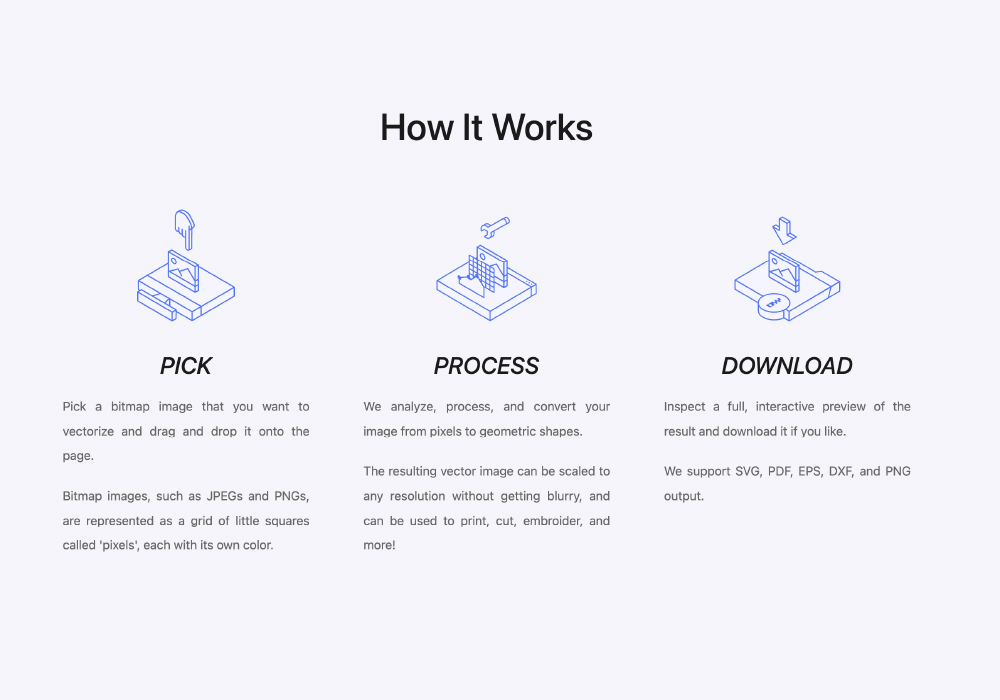
Using Vectorizer.ai is clean and intuitive. You start by uploading the raster image you want to convert – this could be a photo, logo, icon, or hand‑drawn sketch. The AI analyzes the image, identifies shapes, edges, and color regions, and then generates a vector version instantly.
Once the conversion is complete, you get a real‑time preview. You can zoom in to inspect details and make certain adjustments like smoothing curves, simplifying shapes, or refining colors before finalizing your download.
The result is a high‑quality vector file that’s crisp, clean, and ready to use in design software, printing, or digital projects. This streamlined workflow eliminates the traditional guesswork and manual steps, making vector graphics generation accessible to everyone.
Who Can Benefit from Vectorizer.ai
Vectorizer.ai fits a wide range of creative use cases:
- Logo Designers & Brand Creators – Quickly vectorize concepts for professional branding.
- E‑Commerce Sellers & Merch Designers – Turn product graphics into printable designs without losing quality.
- Graphic Artists & Illustrators – Generate base vectors for further creative refinement.
- Content Creators & Social Media Marketers – Convert image assets into crisp visuals for posts, banners, ads, and thumbnails.
- Students & Educators – Learn vector concepts and produce portfolio‑ready work without complex software.
In every case, Vectorizer.ai democratizes access to vector graphics – something that used to be locked behind technical tools and design expertise.
Subscription and Access Options
Vectorizer.ai supports both casual users and those who need more frequent conversions:
- Free Tier – A limited number of conversions and basic features to help beginners test the platform and learn vector workflows.
- Starter Plans – More conversions, quicker processing, and access to extended optimization tools. Ideal for hobbyists and part‑time creators.
- Pro & Business Plans – Unlimited conversions, priority processing, advanced editing controls, and batch conversions – perfect for designers, agencies, and power users.
This tiered approach makes Vectorizer.ai flexible. Beginners can explore at no cost, while serious creators can upgrade for higher volume and premium features.
Strengths and Considerations
Like any tool, Vectorizer.ai has its own advantages and things to be aware of.
Strengths
- Fast and Accurate Vector Conversion – AI does the heavy lifting with minimal effort.
- Scalable Output – Vector files stay sharp at any size, perfect for both small icons and large print media.
- Easy to Use – Upload, convert, and download in just a few clicks.
- Real‑Time Preview – See results before you commit to a download.
Considerations
- Automatic Conversion Isn’t Perfect – Sometimes complex or highly detailed images may need slight refinement.
- Less Manual Control than Traditional Software – For designers who want deep customization, professional tools may still be needed afterward.
- Credit Limits on Lower Plans – Heavy users may need to upgrade for frequent use.
Despite these points, Vectorizer.ai remains a very practical tool for most creators who want high‑quality vectors without steep technical barriers.
Vectorizer.ai vs Traditional Vector Tools
Traditional vector tools offer deep control and flexibility, but they also come with a learning curve and require time. Designers often have to spend minutes or hours tracing shapes by hand.
Vectorizer.ai removes this friction by delivering AI‑driven vectorization in seconds. For quick conversions, iterative design workflows, or time‑sensitive projects, it provides a faster, more intuitive alternative.
Many creators use both: they vectorize with the AI first, then refine the output in professional software if they need advanced control.
Is Vectorizer.ai Worth Trying?
If you’ve ever struggled with getting crisp, scalable art from pixel images, Vectorizer.ai is more than worth trying. It makes vector creation quick, intuitive, and accessible – no technical design skills required.
The tool is especially useful for logo creation, product graphics, and any situation where clarity and scalability matter. Even beginners can walk away with professional‑grade vector files after just a few minutes of use.
Final Thoughts
Vectorizer.ai brings AI vector conversion into the hands of creators everywhere. By combining smart automation with easy workflows, it empowers designers, hobbyists, marketers, and students to produce sharp, professional vector art without the traditional headaches.
Whether you’re designing a brand logo, preparing artwork for print, or updating images for digital projects, Vectorizer.ai gives you the speed, quality, and flexibility you need. It’s a simple but powerful tool that makes vector graphics accessible to everyone – and that’s a big deal in a world where visual quality matters more than ever.
Visit Site