




In today’s visual-centric digital world, video quality is no longer a luxury—it is a requirement. Whether you are a content creator, a professional filmmaker, or an archivist, the demand for high-definition, cinematic visuals is relentless. But much of our most valuable content is trapped in the past: low-resolution phone footage, grainy old family tapes, or compressed social media downloads that look blurred on modern screens.
The problem isn't a lack of great memories or footage—it's the technical gap in visual fidelity. Manually attempting to upscale, de-noise, or repair video frame-by-frame is a productivity killer that requires expensive hardware and specialized knowledge.
That’s where TensorPix changes the math of video production.
TensorPix is an all-in-one AI-powered video enhancement platform designed to extract the “detail” from the “noise.” By integrating cutting-edge neural networks with a simple, browser-based interface, it converts low-quality, shaky, or blurry footage into structured, high-resolution, and professional-grade visuals in minutes.
Why TraditioXnal Video Restoration is Broken
For creators, hobbyists, and digital professionals, traditional video editing and upscaling have hit a wall:
- The Hardware Tax: Running professional AI upscaling locally requires thousands of dollars in high-end GPU hardware.
- The Complexity Barrier: Traditional restoration software involves steep learning curves and hours of manual “trial and error.”
- Time Inefficiency: Waiting days for a single video to render locally prevents a fast-paced “upload-and-scale” workflow.
- Format Limitations: Old footage is often plagued by artifacts, motion blur, and interlacing that standard filters cannot fix.
TensorPix bridges this gap by turning slow, manual restoration into an automated, AI-powered system that works entirely in the cloud.
A Command Center for Visual Excellence
- AI-Powered Video Upscaling
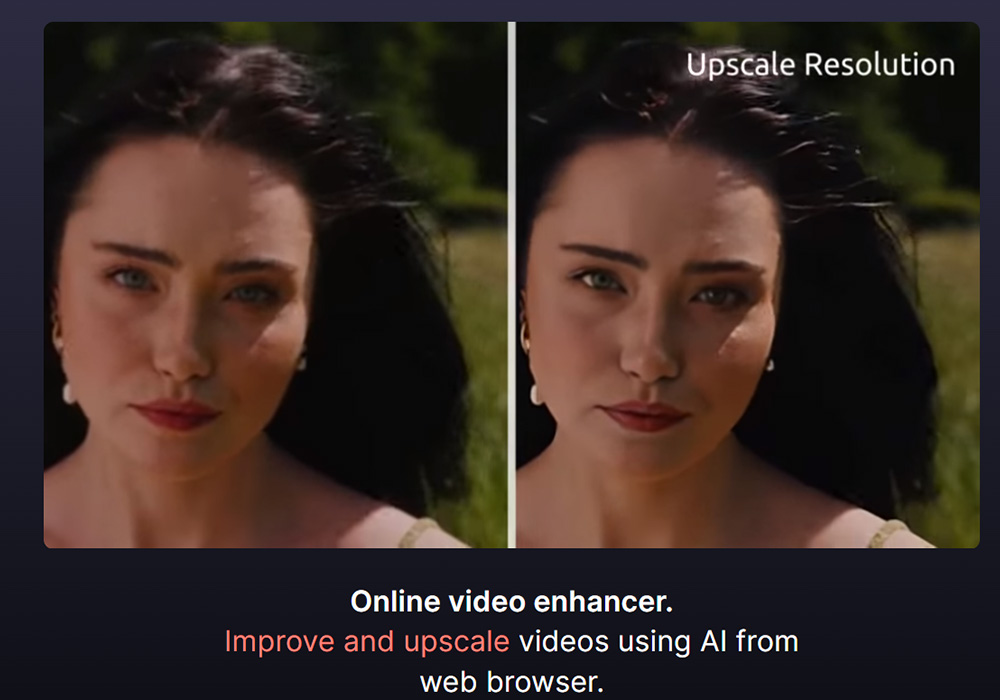
The flagship feature of TensorPix. Instead of just “stretching” pixels, the AI generates new detail to create true high-definition results.
- AI-Generated Detail: Upscale videos from 480p to 4K without losing clarity or introducing “waxy” skin textures.
- Proprietary Neural Models: Choose from specialized AI models designed specifically for human faces, landscapes, or vintage film.
- Format Flexibility: Convert and enhance old MP4s, MOVs, or AVI files into modern, crisp formats ready for today’s algorithms.
- Intelligent Motion & Frame Restoration
TensorPix doesn't just improve how a frame looks; it improves how the video moves.
- 60 FPS Conversion: Use AI interpolation to transform choppy, low-frame-rate footage into silky-smooth 60 FPS motion.
- Slow Motion Pro: Create ultra-smooth slow-motion sequences from regular footage by letting AI generate the “missing” frames.
- Stabilization Engine: Automatically remove camera shake from handheld shots without the heavy cropping found in standard editors.
- Advanced Artifact & Noise Removal
Clean up your visual data and remove the digital “noise” that distracts your audience.
- Denoising & Deblocking: Eliminate the grainy “sand” effect found in low-light shots and remove the blocky artifacts from high-compression web videos.
- De-interlacing: Fix the “comb-like” lines found in old analog TV recordings or camcorder footage instantly.
- Flicker Removal: Stabilize lighting inconsistencies often found in old film or under certain artificial lights.
- Cloud-Based Knowledge Management
TensorPix doesn't just enhance; it organizes your creative workflow.
- GPU-Accelerated Cloud: Every enhancement happens on TensorPix’s high-performance servers, freeing up your computer for other tasks.
- Batch Processing: Upload and process multiple videos simultaneously to build a high-resolution library at scale.
- Centralized Dashboard: Every project you generate is saved in your workspace, allowing you to revisit and download your enhanced assets anytime.
How TensorPix Works: From Grain to Greatness
- Input Content: Upload your raw footage directly to the browser-based dashboard from any device.
- AI Analysis & Filter Selection: Choose from over 20+ specialized AI filters based on your footage's specific needs (e.g., “Clean Faces” or “Deep Upscale”).
- Preview & Process: View a free “Preview” of the result before committing. The AI then processes the video in the cloud within minutes.
- Access & Export: Download your high-resolution, polished video and sync it across your devices for instant publishing or archiving.
Built for the High-Performance Workflow
- Content Creators: Re-release your old viral hits in 4K to capture a new generation of viewers on YouTube and TikTok.
- E-commerce & Marketers: Turn low-quality user-generated content (UGC) into professional-grade video ads that drive conversions.
- Historians & Archivists: Restore old documentary footage or family memories to preserve history in modern clarity.
- Filmmakers: Fix “ruined” shots that were out of focus or too dark during production without expensive reshoots.
Flexible Accessibility for Every Need
TensorPix offers a “Pay-as-you-go” model that makes it easy for anyone to test the power of AI video restoration.
- Free Account: Includes free credits to test the AI filters and see the “Before/After” transformation yourself.
- Standard & Pro Tiers: Unlock unlimited cloud storage, faster processing priority, and higher resolution exports (including 4K).
- Cross-Device Sync: Work entirely in your browser—no heavy software installation or high-end PC required.
Conclusion: Reclaim Your Visual Assets
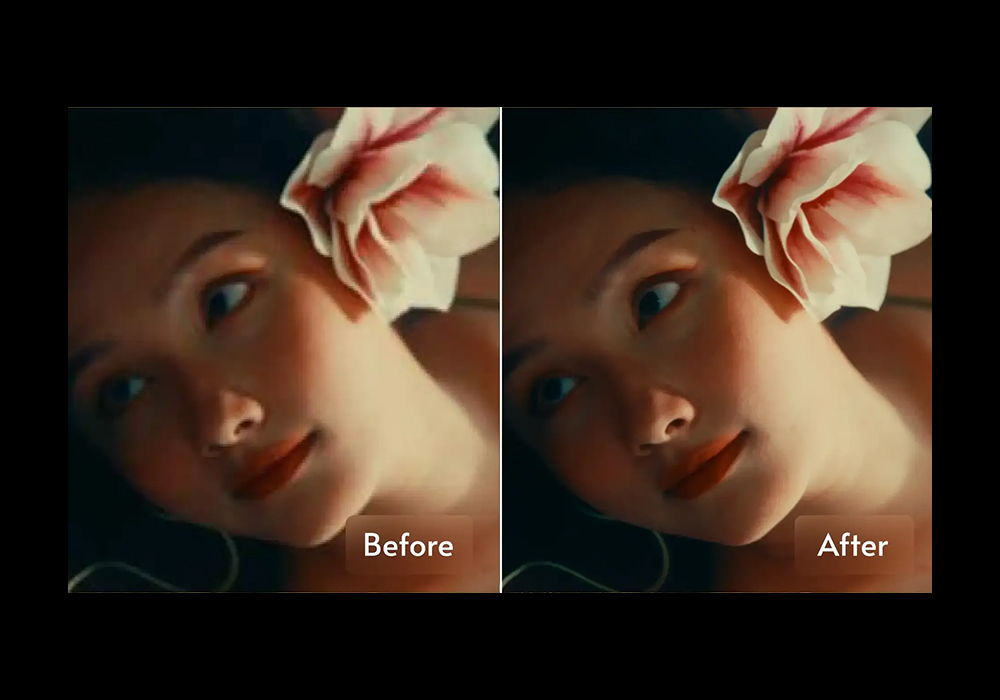
TensorPix isn't just an upscaler; it’s a visual filter for the digital age. It acknowledges that your creative history is your most valuable asset and ensures you don't lose your best ideas to poor technical quality.
By turning hours of manual restoration and rendering into a structured, searchable, and automated system, TensorPix allows you to focus on what actually matters: telling your story in the highest possible fidelity.
Visit Site